Video Transcript
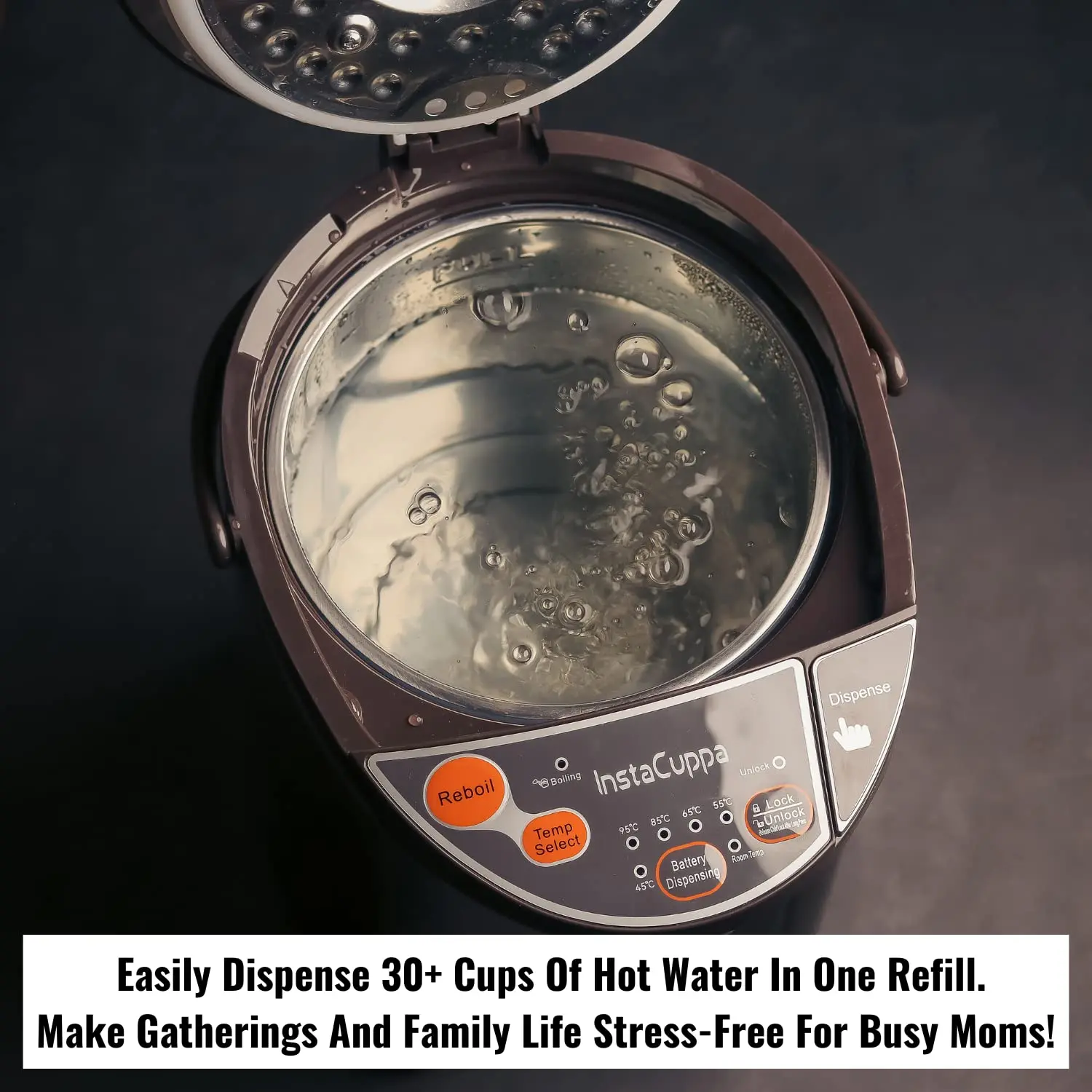
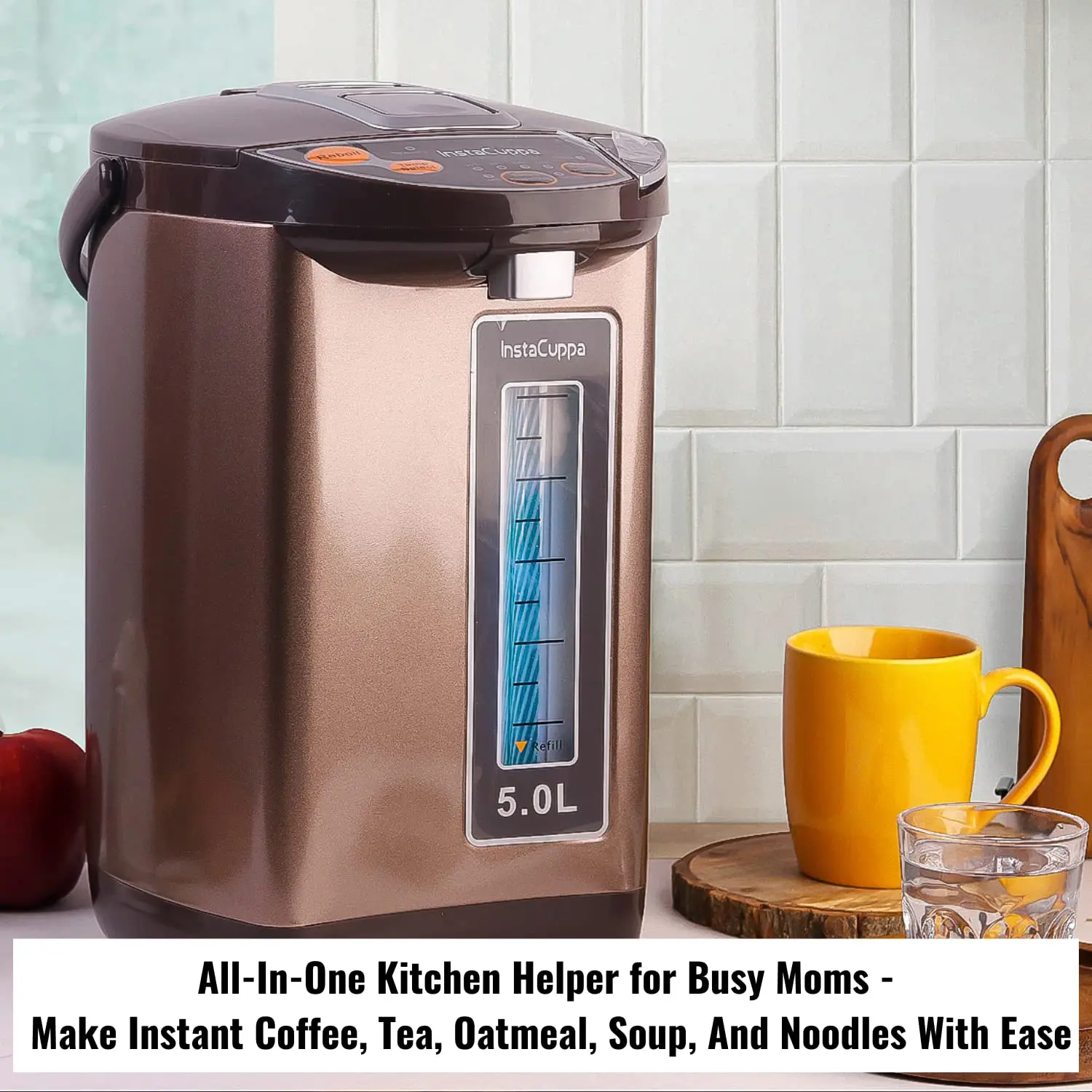
\n[0:00] Here's the Insta Kappa electric kettle dispenser with temperature control to get instant hot water anytime. It includes a power cable so before using you need to plug it. It comes with easy to open lid and has a 5 liter capacity. First step is to pour water but ensure that you do not go above the full mark which is indicated. Log the lid properly before using. Here's the water level indicator which helps you monitor the level of water inside the kettle. The power on the kettle you will see that the boiling indicator starts blinking.
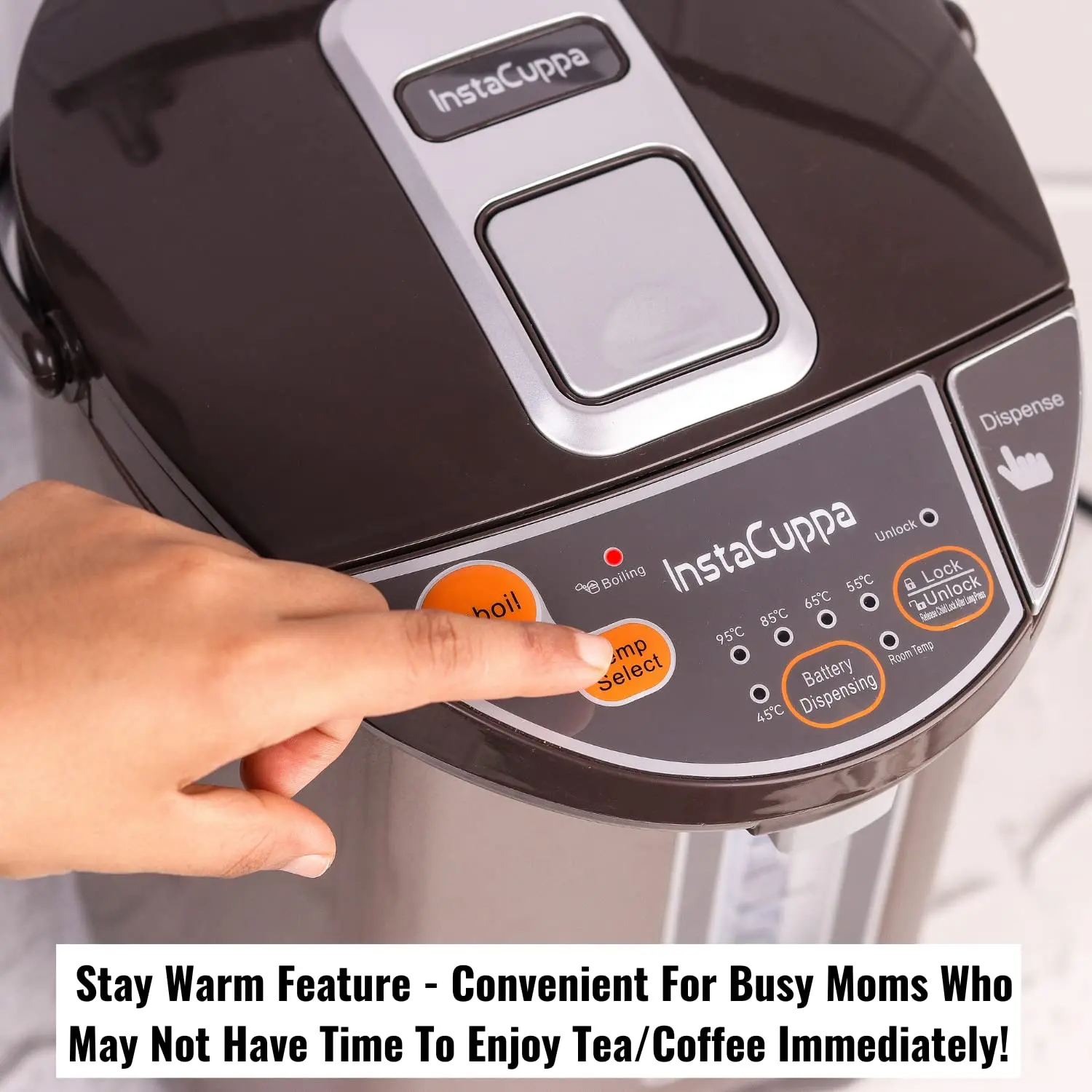
\n[0:30] It does not mean that water has started to boil. You need to press the Reboil button to do that. Press the Reboil button and as soon as you do it the boiling light becomes steady and by default 85 degree Celsius is selected. There are other temperature options as well. Use the temp select button to select a temperature ranging from 95, 85, 65, 55, 45 and room temperature. Once the boiling process is finished the temperature of the water will be maintained to a temperature that you select from the options given here.
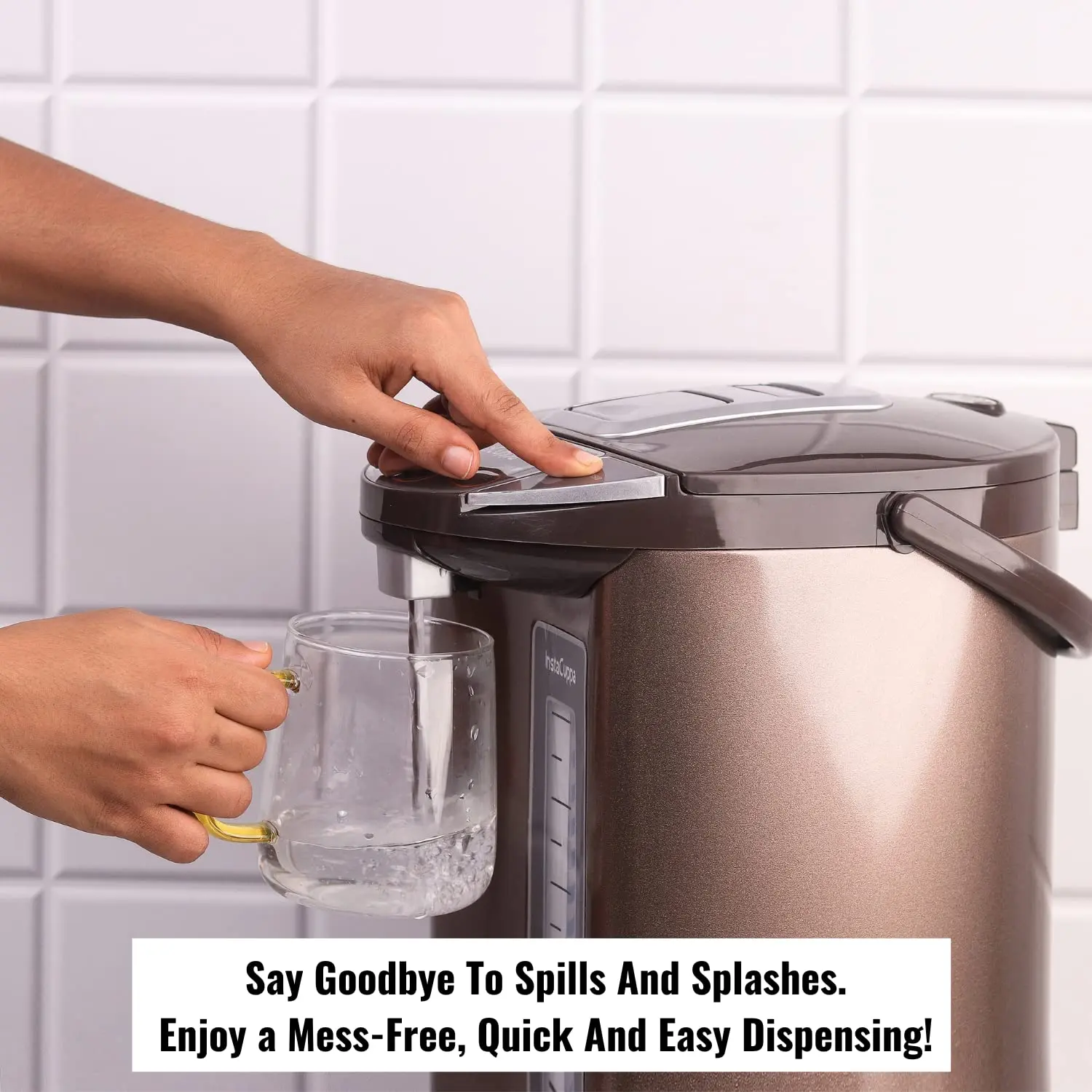
\n[1:00] There's a steam went at the back of the lid so please ensure that you do not touch it when the water is boiling. The water will be boiled within a few minutes and the boiling indicator will turn off. The kettle comes with child safety lock that is you need to press on the lock unlock button to start dispensing water. Otherwise the dispense button will not work. So press the lock unlock button there will be a light indicating that it's unlocked. Press the dispense button to start dispensing water. As soon as you release the dispense button the water dispensing will stop.
\n[1:30] The dispense button stays unlocked for 10 seconds and it is indicated by a light. When the light is turned off you will have to press the button again to unlock it. There's another dispense button given behind the spout which you can use by pressing the lock unlock button. You need to push your mug or cup against it to start dispensing. If you want to boil the water again you need to press the reboil button to start over the process. If you already have hot water in your kettle but do not have power supply you can still
\n[2:00] dispense water using battery power dispensing which is great for outdoor use. Please note that it does not work for reboiling it works only for dispensing water. You can always keep the battery installed for such scenarios. Reach out to the bottom of the kettle and remove the cap and place the battery which is included with this kettle, fix it and you are ready to use. Press the battery dispense button to dispense water. This feature is ideal for camping power cuts or patio use.
\nVideo Transcript
\n[0:00] [♪ OUTRO MUSIC PLAYS
\nVideo Transcript
\n[0:00] You
\nInstaCuppa Electric Kettle Dispenser With Temperature Control, Stay Warm Function, 5 Litres Capacity, 1200W, Automatic Shut-Off And
InstaCuppa Electric Kettle Dispenser With Temperature Control, Stay Warm Function, 5 Litres Capacity, 1200W, Automatic Shut-Off And


Video Transcript
[0:00] Here's the Insta Kappa electric kettle dispenser with temperature control to get instant hot water anytime. It includes a power cable so before using you need to plug it. It comes with easy to open lid and has a 5 liter capacity. First step is to pour water but ensure that you do not go above the full mark which is indicated. Log the lid properly before using. Here's the water level indicator which helps you monitor the level of water inside the kettle. The power on the kettle you will see that the boiling indicator starts blinking.
[0:30] It does not mean that water has started to boil. You need to press the Reboil button to do that. Press the Reboil button and as soon as you do it the boiling light becomes steady and by default 85 degree Celsius is selected. There are other temperature options as well. Use the temp select button to select a temperature ranging from 95, 85, 65, 55, 45 and room temperature. Once the boiling process is finished the temperature of the water will be maintained to a temperature that you select from the options given here.
[1:00] There's a steam went at the back of the lid so please ensure that you do not touch it when the water is boiling. The water will be boiled within a few minutes and the boiling indicator will turn off. The kettle comes with child safety lock that is you need to press on the lock unlock button to start dispensing water. Otherwise the dispense button will not work. So press the lock unlock button there will be a light indicating that it's unlocked. Press the dispense button to start dispensing water. As soon as you release the dispense button the water dispensing will stop.
[1:30] The dispense button stays unlocked for 10 seconds and it is indicated by a light. When the light is turned off you will have to press the button again to unlock it. There's another dispense button given behind the spout which you can use by pressing the lock unlock button. You need to push your mug or cup against it to start dispensing. If you want to boil the water again you need to press the reboil button to start over the process. If you already have hot water in your kettle but do not have power supply you can still
[2:00] dispense water using battery power dispensing which is great for outdoor use. Please note that it does not work for reboiling it works only for dispensing water. You can always keep the battery installed for such scenarios. Reach out to the bottom of the kettle and remove the cap and place the battery which is included with this kettle, fix it and you are ready to use. Press the battery dispense button to dispense water. This feature is ideal for camping power cuts or patio use.
Video Transcript
[0:00] [♪ OUTRO MUSIC PLAYS
Video Transcript
[0:00] You
Description
Video Transcript
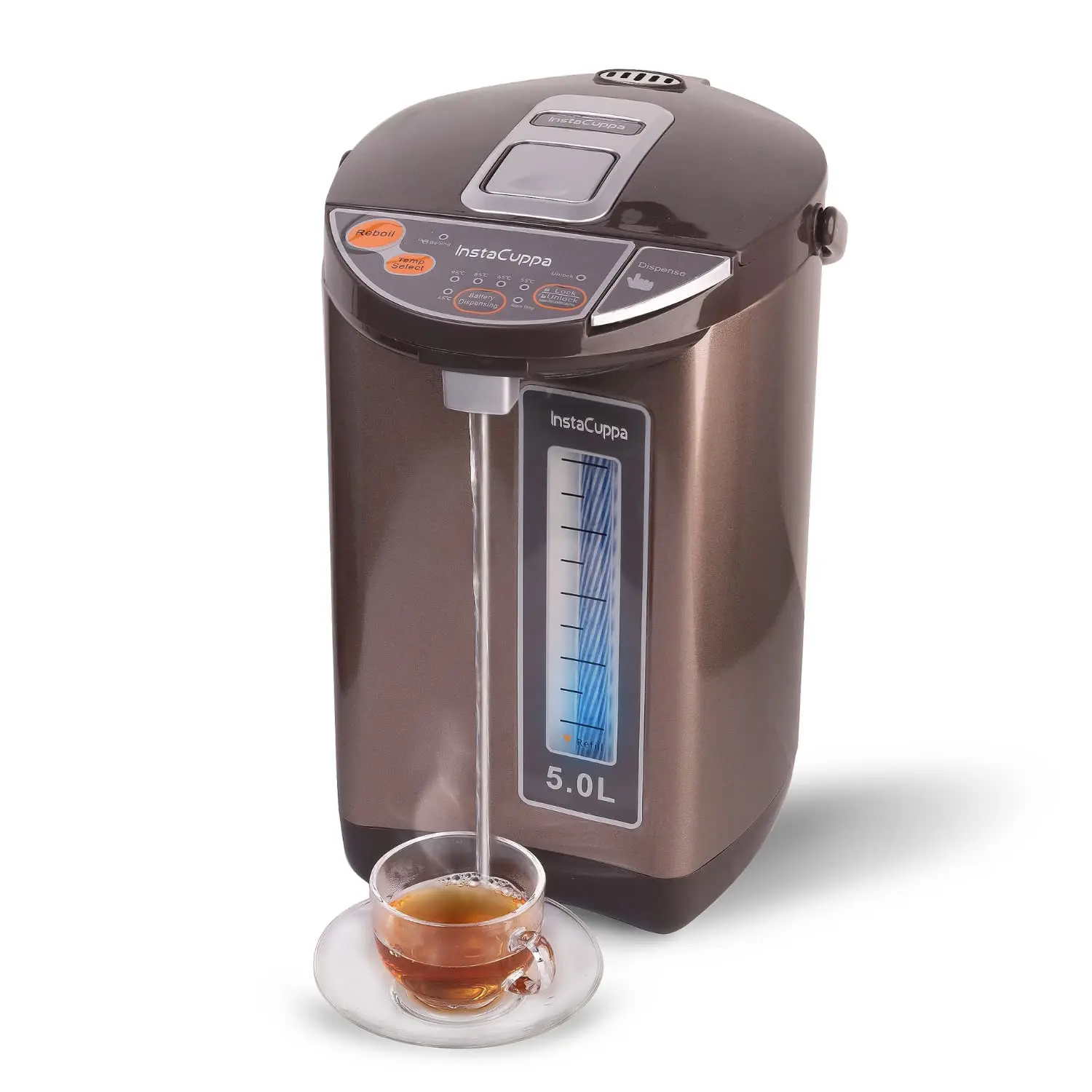
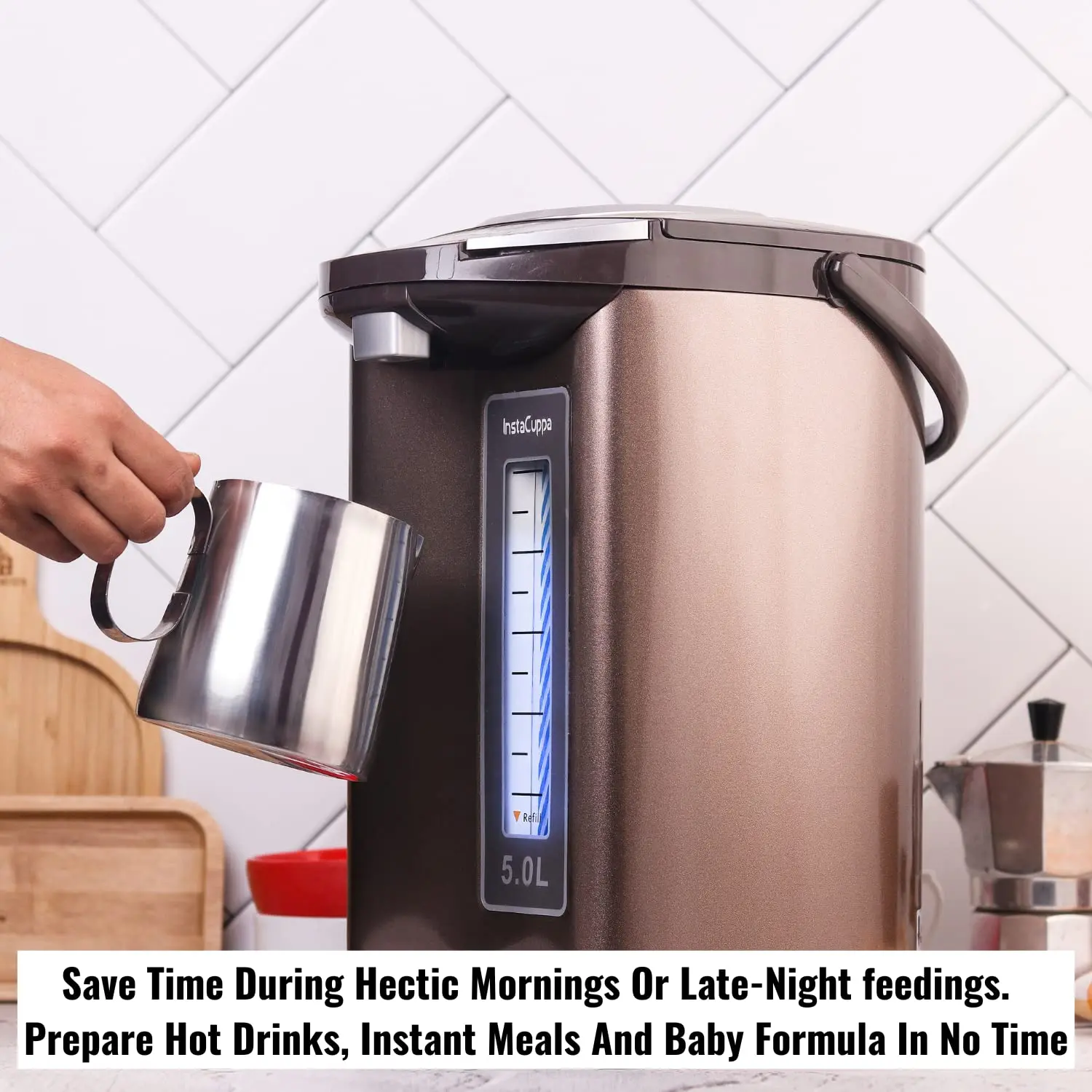
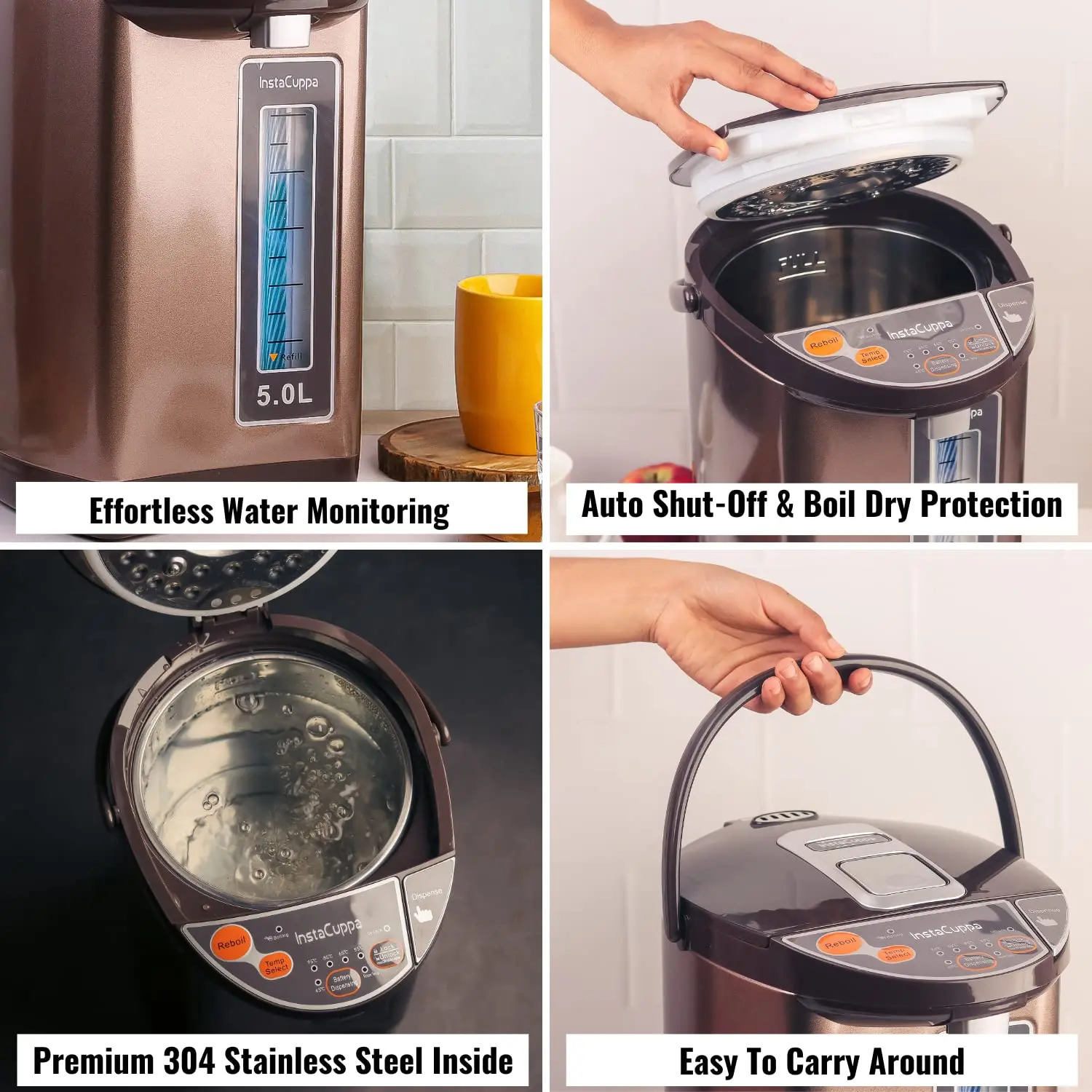
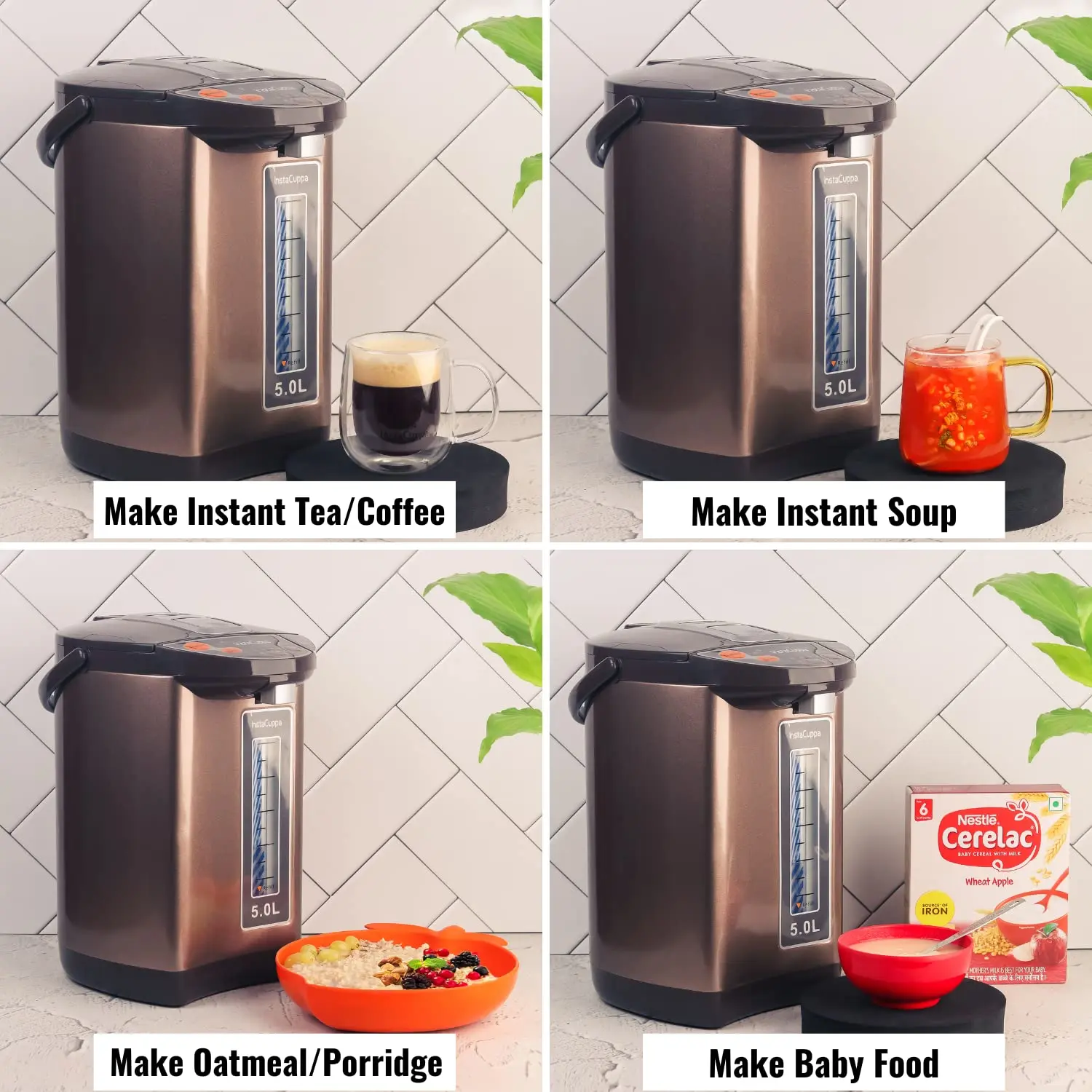
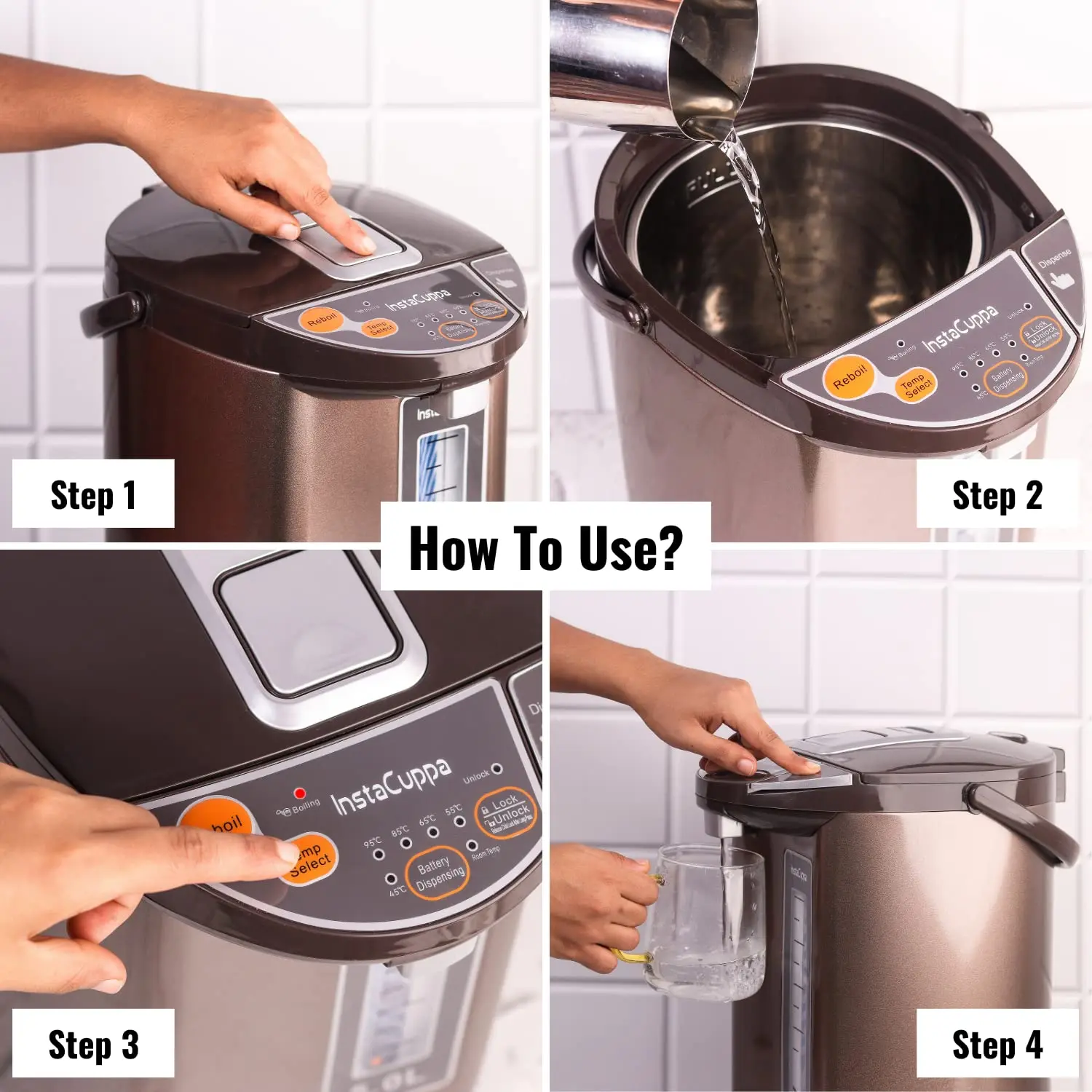
[0:00] Here's the Insta Kappa electric kettle dispenser with temperature control to get instant hot water anytime. It includes a power cable so before using you need to plug it. It comes with easy to open lid and has a 5 liter capacity. First step is to pour water but ensure that you do not go above the full mark which is indicated. Log the lid properly before using. Here's the water level indicator which helps you monitor the level of water inside the kettle. The power on the kettle you will see that the boiling indicator starts blinking.
[0:30] It does not mean that water has started to boil. You need to press the Reboil button to do that. Press the Reboil button and as soon as you do it the boiling light becomes steady and by default 85 degree Celsius is selected. There are other temperature options as well. Use the temp select button to select a temperature ranging from 95, 85, 65, 55, 45 and room temperature. Once the boiling process is finished the temperature of the water will be maintained to a temperature that you select from the options given here.
[1:00] There's a steam went at the back of the lid so please ensure that you do not touch it when the water is boiling. The water will be boiled within a few minutes and the boiling indicator will turn off. The kettle comes with child safety lock that is you need to press on the lock unlock button to start dispensing water. Otherwise the dispense button will not work. So press the lock unlock button there will be a light indicating that it's unlocked. Press the dispense button to start dispensing water. As soon as you release the dispense button the water dispensing will stop.
[1:30] The dispense button stays unlocked for 10 seconds and it is indicated by a light. When the light is turned off you will have to press the button again to unlock it. There's another dispense button given behind the spout which you can use by pressing the lock unlock button. You need to push your mug or cup against it to start dispensing. If you want to boil the water again you need to press the reboil button to start over the process. If you already have hot water in your kettle but do not have power supply you can still
[2:00] dispense water using battery power dispensing which is great for outdoor use. Please note that it does not work for reboiling it works only for dispensing water. You can always keep the battery installed for such scenarios. Reach out to the bottom of the kettle and remove the cap and place the battery which is included with this kettle, fix it and you are ready to use. Press the battery dispense button to dispense water. This feature is ideal for camping power cuts or patio use.
Video Transcript
[0:00] [♪ OUTRO MUSIC PLAYS
Video Transcript
[0:00] You